
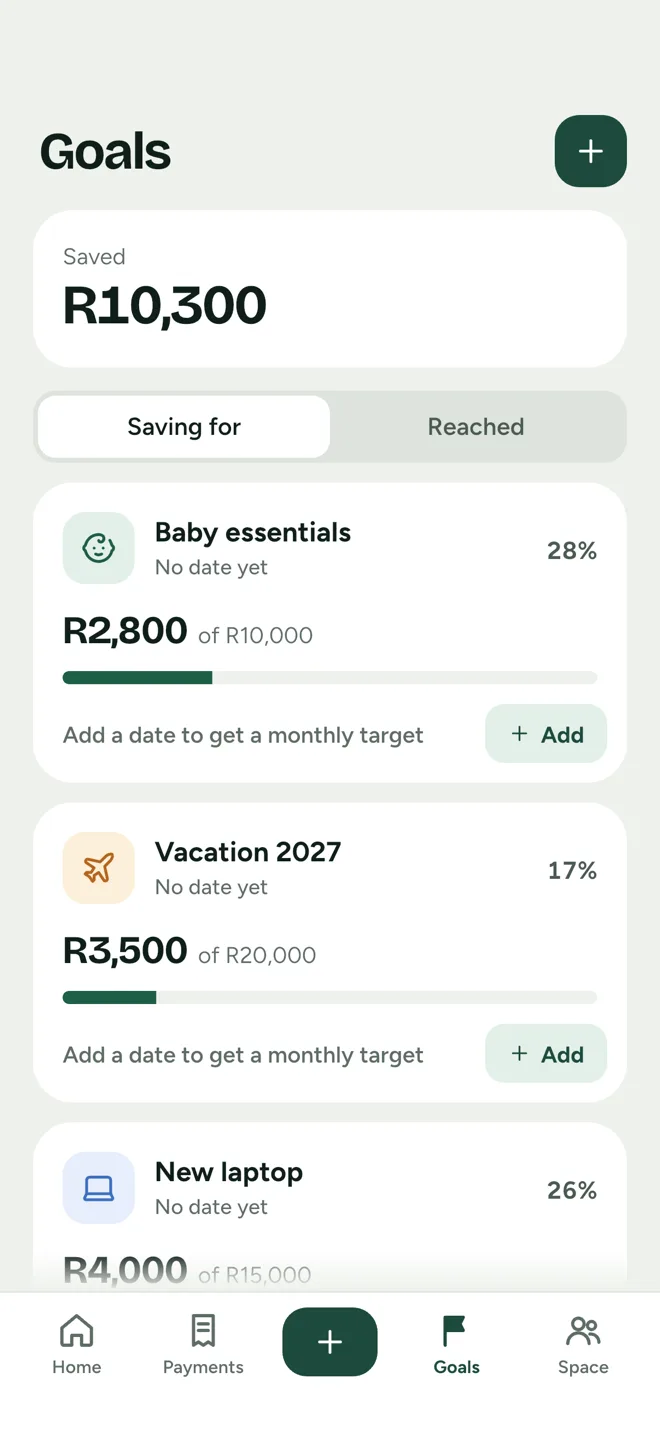
Goals that grow over time
Break a goal into the things it is made of, record contributions and watch it fill.
On iPhone, iPad and Android
Plan bills, track payments and save toward goals on your own, as two, or as a group of up to six. Start a plan in our space and invite others only if you want to share it.
See how Dueo works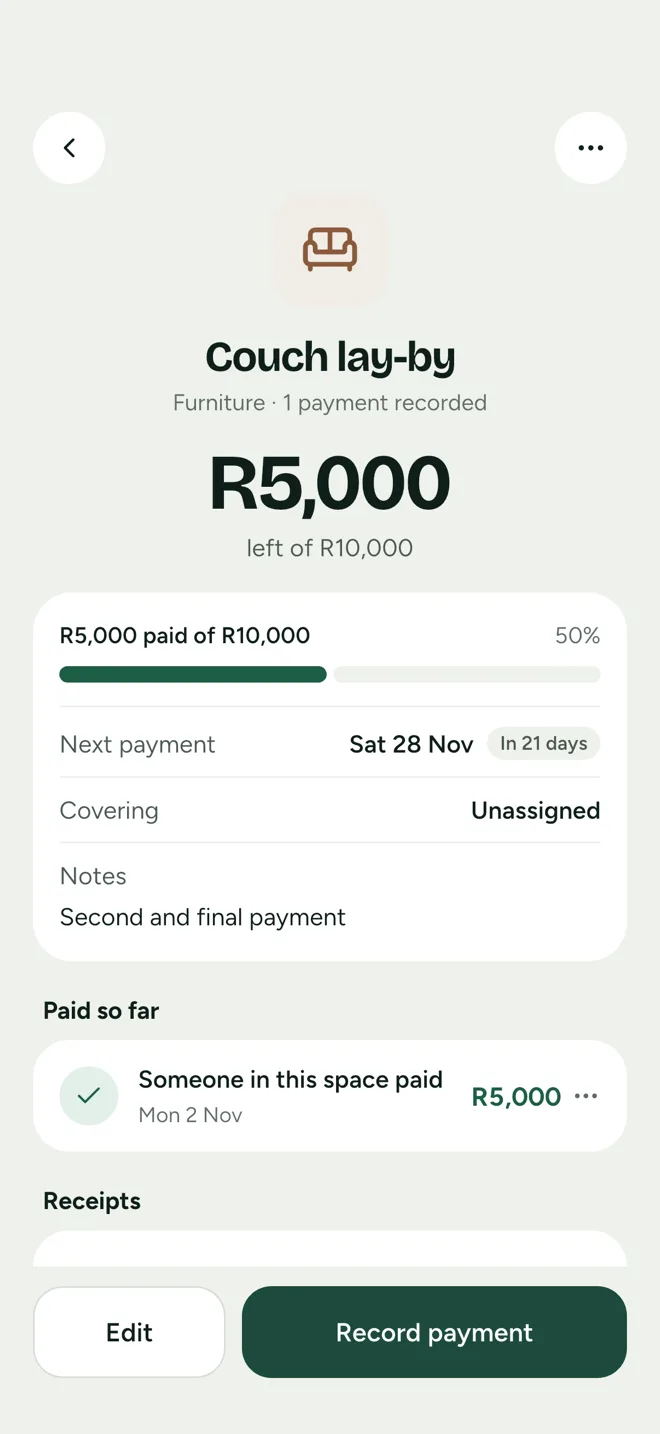
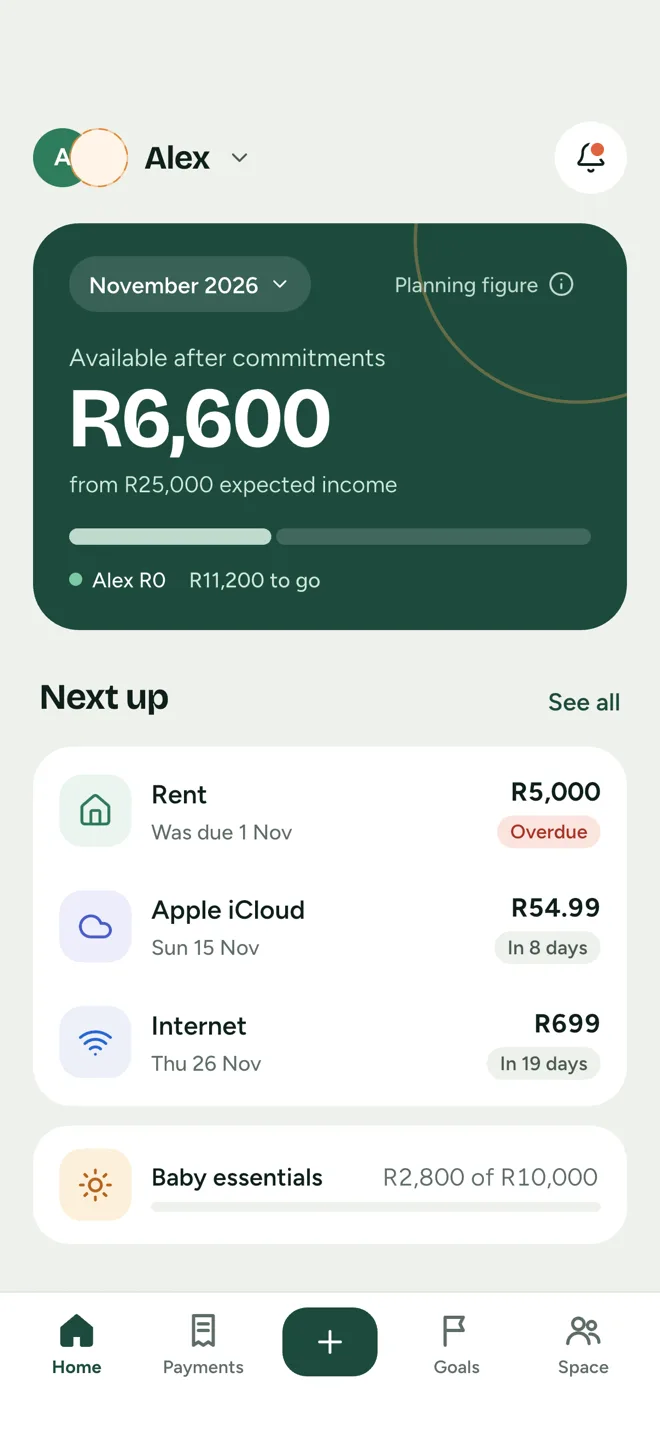
Three questions every money plan comes back to. Dueo answers them in one place, for everyone in our space.
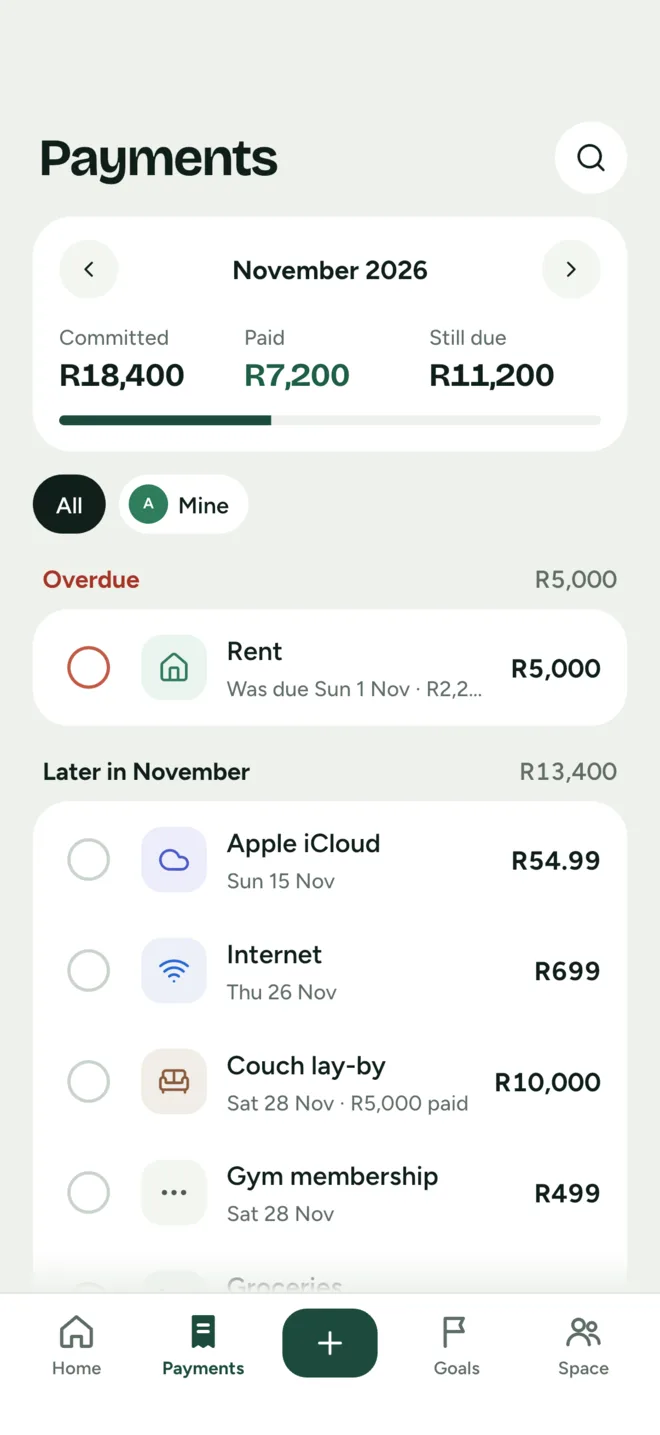
Rent, the internet, a lay-by: put commitments in our space with an amount and a date. The month shows what is committed, what is paid and what is still due.
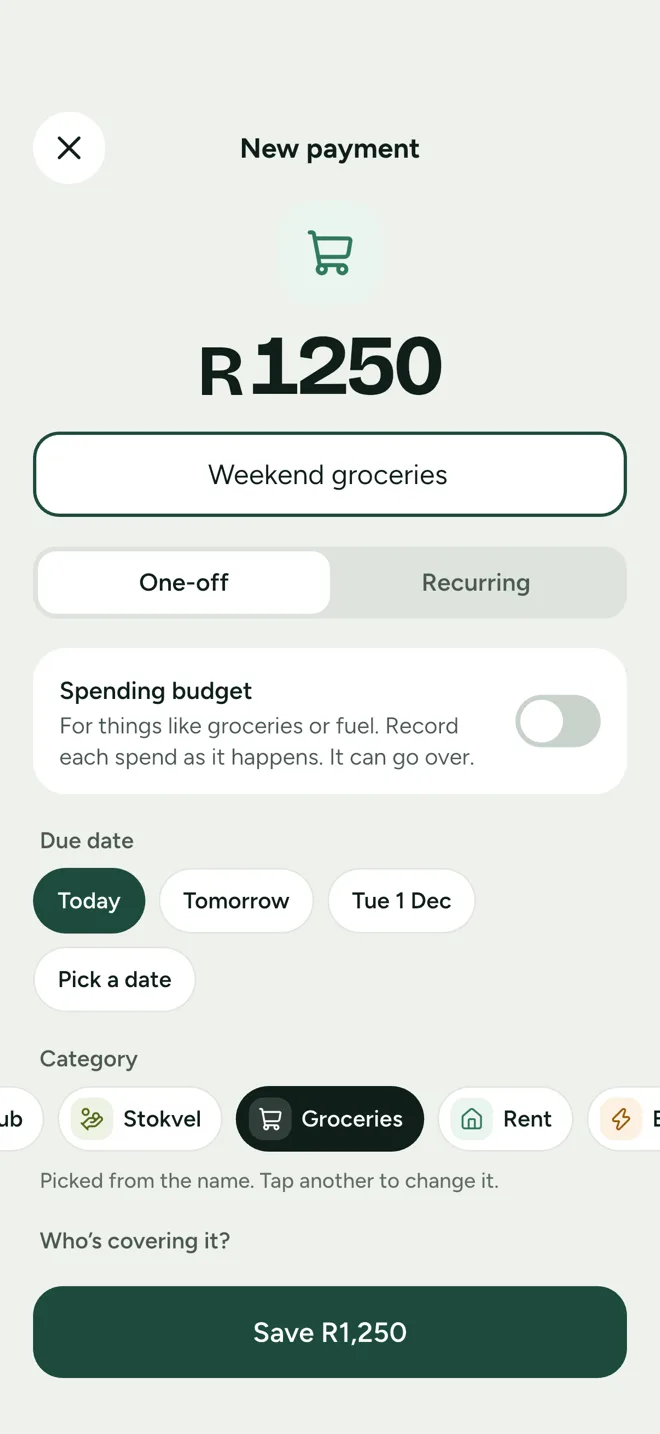
Payments are their own records, kept apart from the plan, so the story stays intact. Add who paid, the category and a receipt if you have one.
Available after commitments is worked out from the income you expect. It is a planning figure to talk about, never a claimed bank balance.
Built for the everyday
Break a goal into the things it is made of, record contributions and watch it fill.
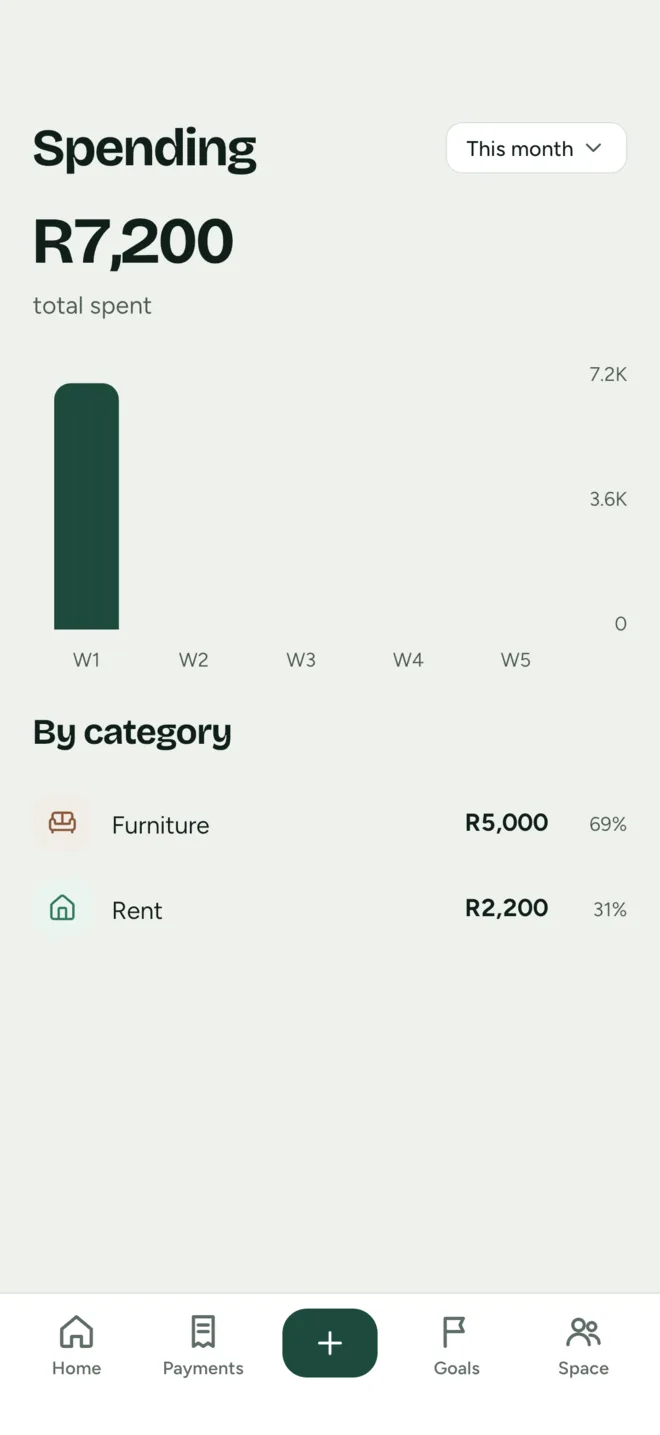
Spending by week and by category, drawn from the payments you record.
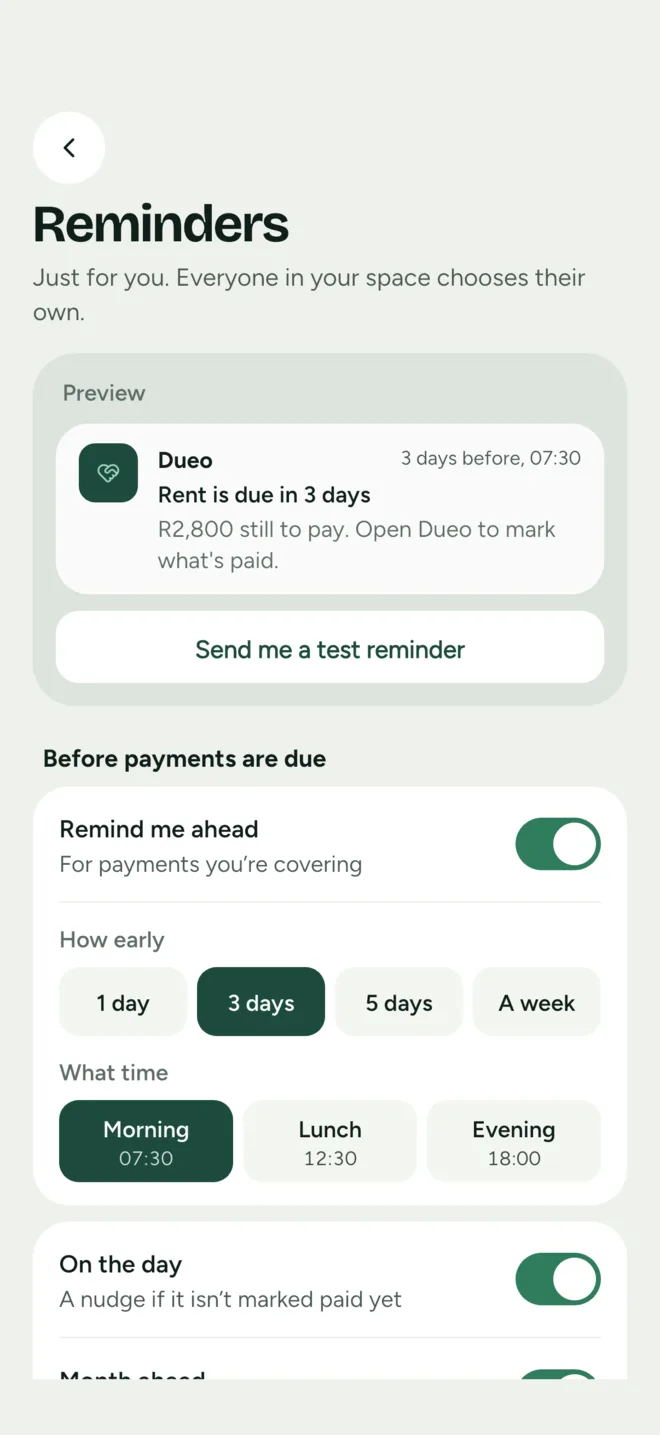
Pick how early and what time. Everyone in our space chooses their own reminders.
Add a photo or PDF to a commitment. Dueo can read the merchant, total, currency and date into a draft; nothing is recorded as paid until you review and save it.
Ask about your month, or have Dueo draft a payment or some spending. Every change waits for your approval.
Attachments require an authorised account. Other members see what you choose to share in our space, and nothing else.
Delivery depends on notification permissions and your device connection. Send yourself a test reminder any time.
New · Works offline
Changes save on your phone and sync when you’re back online. If someone else changed the same thing in the meantime, Dueo asks which version to keep. Nothing is silently overwritten.


Offline: saved on this phone.
Our space
Our space works fully with one member. Plan commitments, record payments and save toward goals by yourself, and invite someone later only if you want to.
Shared access
Monthly or annual
The same features on either plan, with access shared by invited members.
Subscriptions renew automatically unless canceled through the original store. After cancellation, access continues until the paid period ends.
Questions, answered plainly
Yes. Our space works fully with one member: plan commitments, record payments and track goals on your own. Inviting others is optional sharing you can add any time.
No. Dueo does not connect to a bank or move money. It keeps the plans and records you choose to add in one place.
One person creates our space and sends a six-character invitation code or an email invitation. Each person signs in with Apple, Google or an email address before joining. A space holds up to six people.
Yes. Changes you make while offline are saved on your phone and sync when you are back online. If someone else changed the same record in the meantime, Dueo shows you both versions and asks which to keep.
Ask Dueo, grocery aisles and Gmail sorting use Anthropic’s Claude, and grocery aisles ask TypeSafe’s Jev first. Dueo asks before anything is shared with Anthropic or TypeSafe. Category suggestions, typed drafts and spending insights use an open model on Cloudflare Workers AI, which also reads receipts. Dueo does not record a payment or change a financial record until you choose to save it.
Dueo is built for iPhone, iPad and Android. Download it from the App Store or Google Play.
Choose monthly or annual billing, with the same features on either plan. One subscription covers every space you create, and invited members share access without paying separately. Manage billing through the Apple or Google account you used to subscribe. The store shows the final local price before purchase.
Yes. Delete it from Dueo settings, or use the account deletion page without reinstalling the app. Other members keep their shared records while they remain a member.
Now available
Download Dueo on iPhone, iPad and Android, start a plan in our space and invite others when you’re ready.